Pick your pace
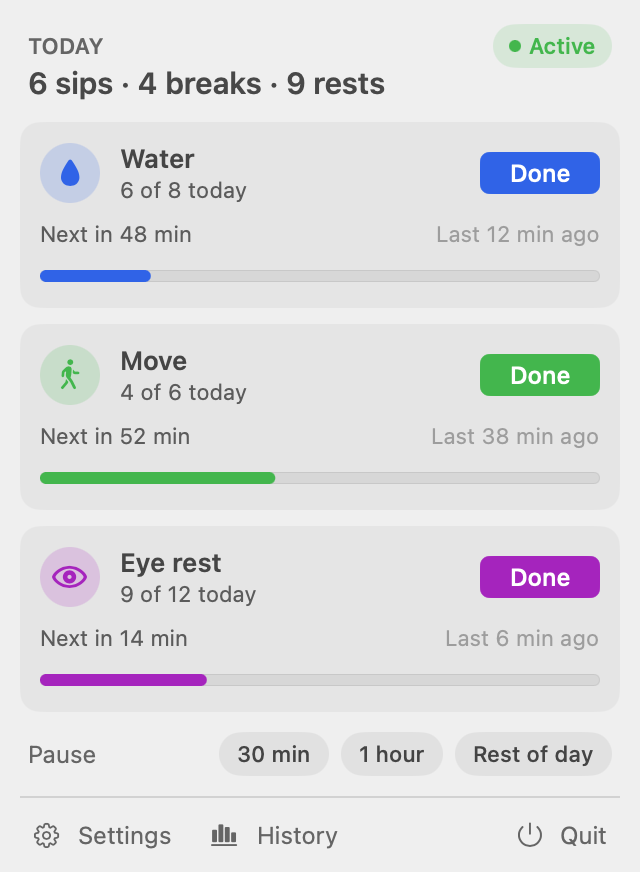
Start from Gentle, Balanced or Active, then change any interval. Reminders stay at least ten minutes apart, so two never land at once.
Sipbreak is a menu bar app for water and movement reminders. It holds them through calls, screen shares and time away, and never takes your keyboard focus.
Sipbreak holds every reminder through calls, screen shares and time away, then starts the clock fresh when you're back.
Camera on in any app, or a meeting app in front.
Zoom shares and macOS Screen Sharing.
No keyboard or mouse for 15 min. Set it from 2 to 60.
Reads event times from your calendar, on your Mac.
Nothing waits for you on the lock screen.
Optional, for films and deep work.
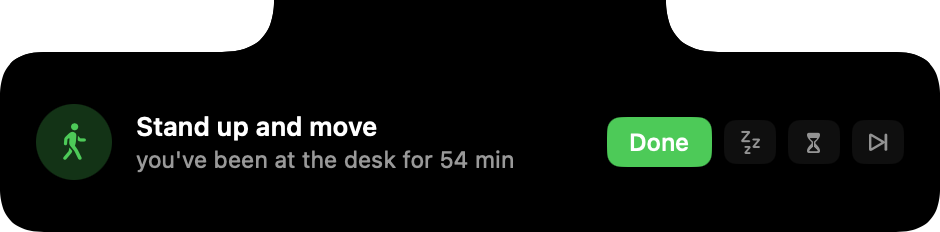
It shows up without taking focus, so whatever you're typing keeps going. It stays until you answer, and one line says why it came now.
Pick the one you like in Settings.
Start from a preset, add reminders of your own, and answer each one in a click.
Start from Gentle, Balanced or Active, then change any interval. Reminders stay at least ten minutes apart, so two never land at once.
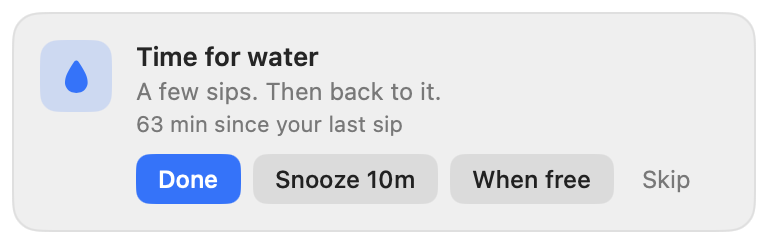
Done logs it and restarts the clock. Snooze asks again in ten minutes, When free waits for your next break, and Skip moves on.
Eye rest, posture, meds or anything else. Each one gets its own message, icon and interval.
Every reminder you answer, snooze or miss stays on your Mac. Look back over a week, a month or a quarter, or export all of it as JSON Lines.
A month in, the hours you tend to miss start to show.
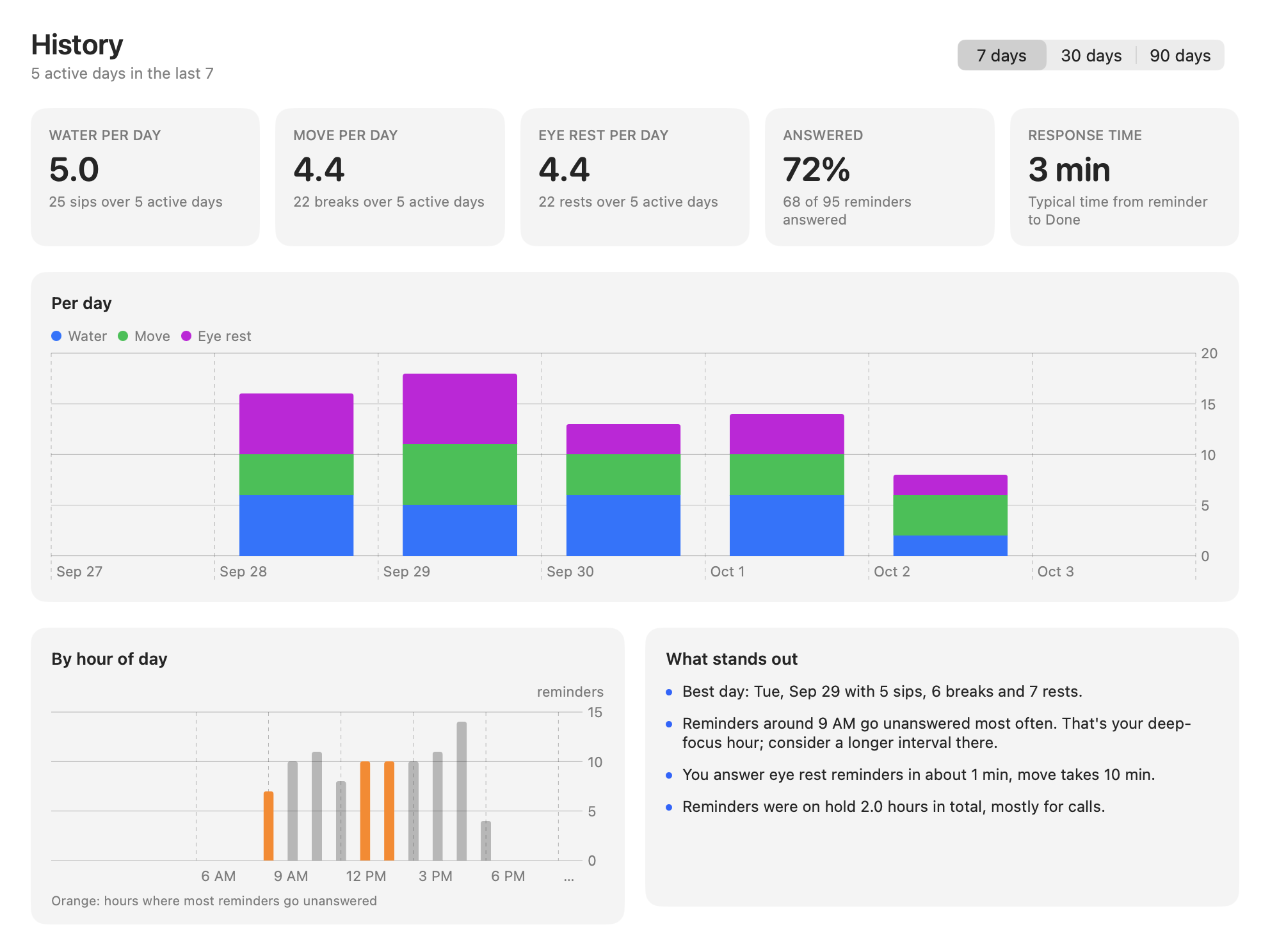
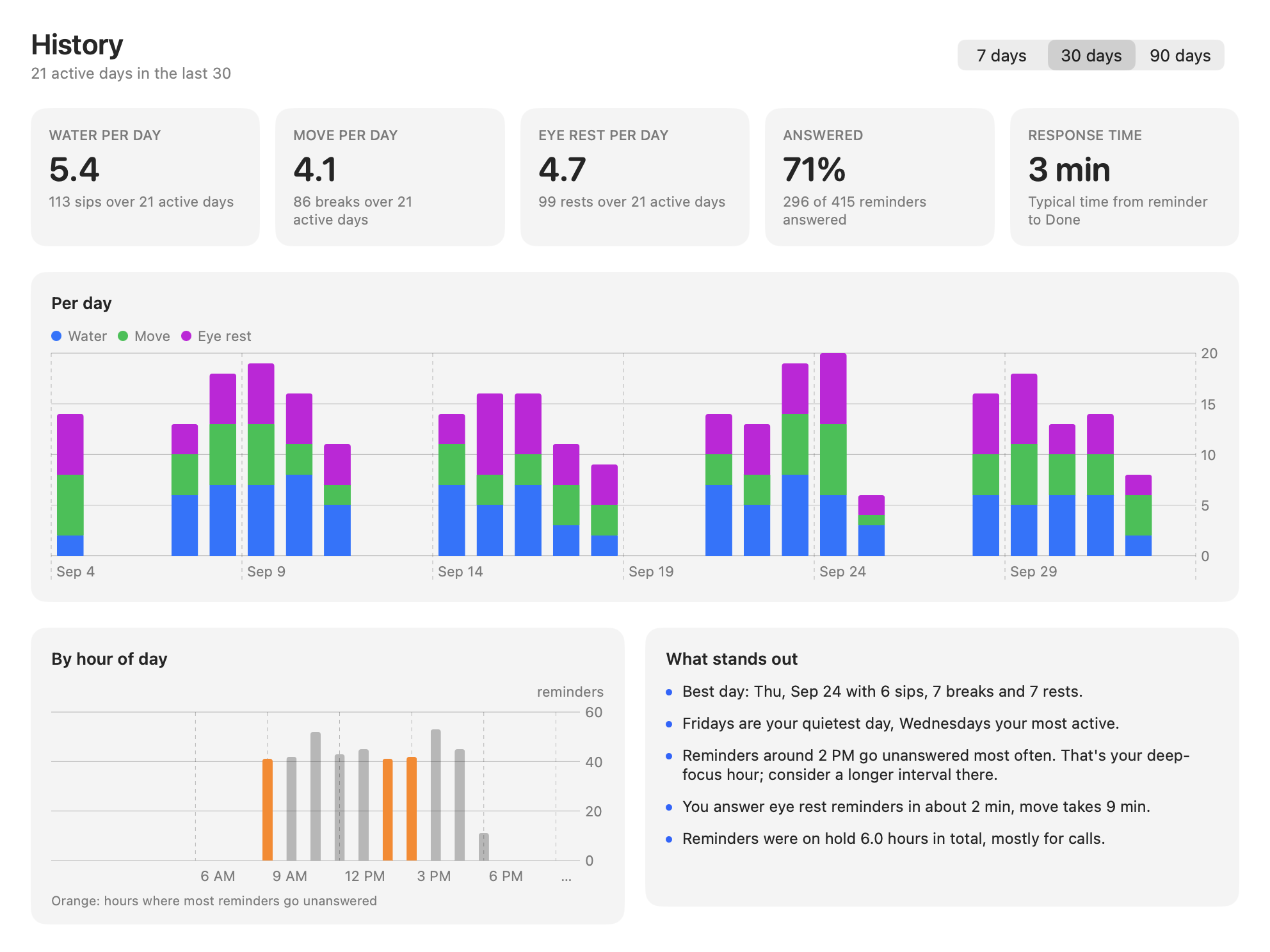
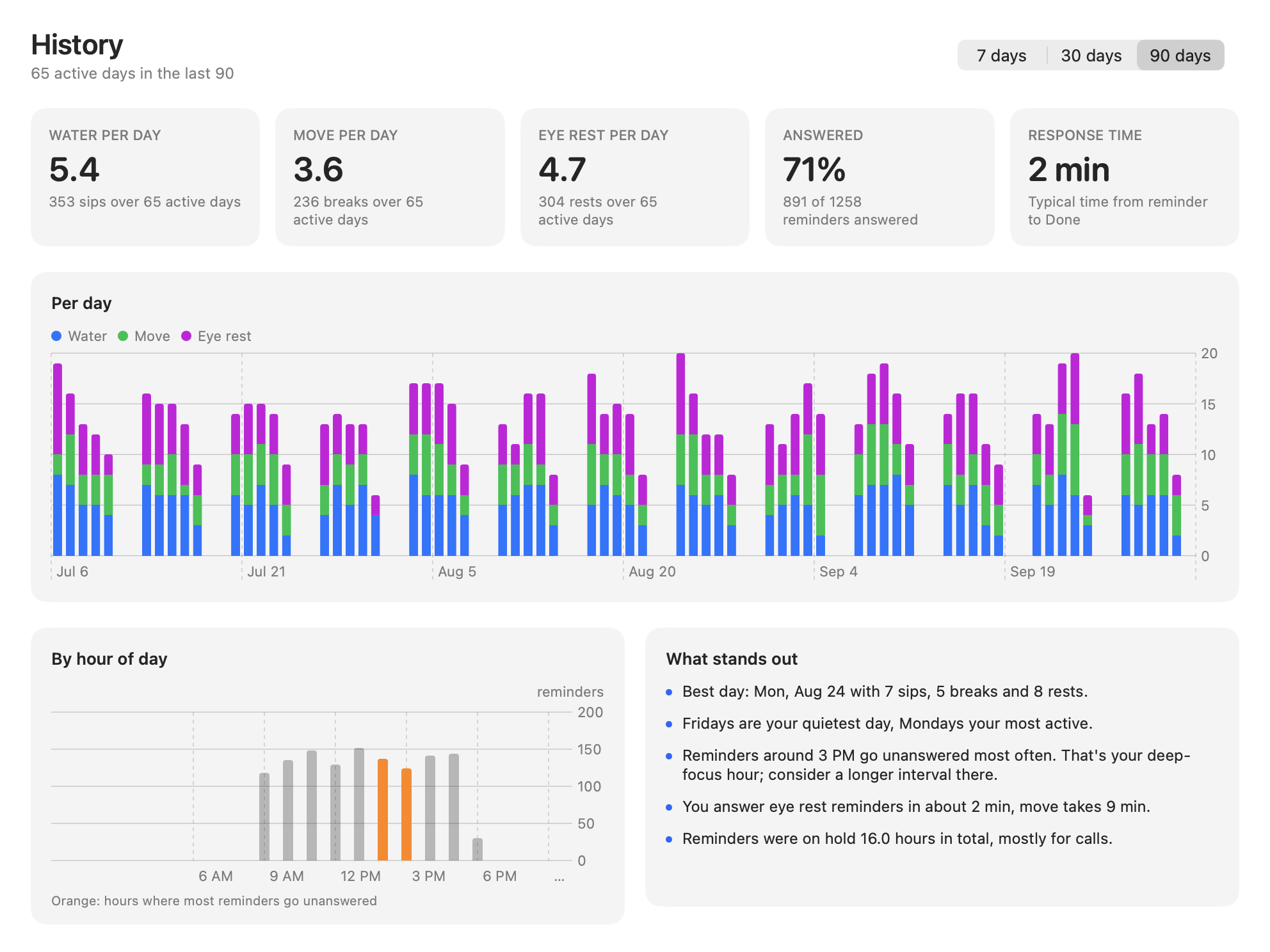
Small things that matter when an app runs all day.
Back from lunch, you get one reminder, not five. When a hold ends, the next one is timed from that moment.
Written in Swift for macOS. No Electron, no web views, and it does nothing between reminders.
Log water with ⌃⌥⌘W, movement with ⌃⌥⌘S, and pause or resume with ⌃⌥⌘P, from any app.
Use it from the Shortcuts app, Raycast or a Stream Deck, with links like sipbreak://done/water.
Intervals adjust by hour from how you answer: up to 25% shorter where you respond, up to 50% longer where you skip.
Every reminder is logged to a local database. Export all of it as JSON Lines from Settings.
Every feature is included, and so are updates. No subscription, no account.
Then $14.99.
14-day money-back guarantee · Instant download
Already bought? Download Sipbreak
One-time payment. Pay once and keep Sipbreak. Updates are included and nothing renews.
No. Sipbreak only asks macOS whether the camera is in use, a plain yes or no. It never sees video or audio, and it never records keystrokes.
Sipbreak detects full-screen windows and screen sharing automatically (Zoom & macOS Screen Sharing). Your audience will never see a reminder pop up.
macOS 13 Ventura or later, on Apple silicon and Intel Macs.
We offer a 14-day no-questions-asked refund policy. If Sipbreak doesn’t fit your workflow, email support and we’ll refund you in full.